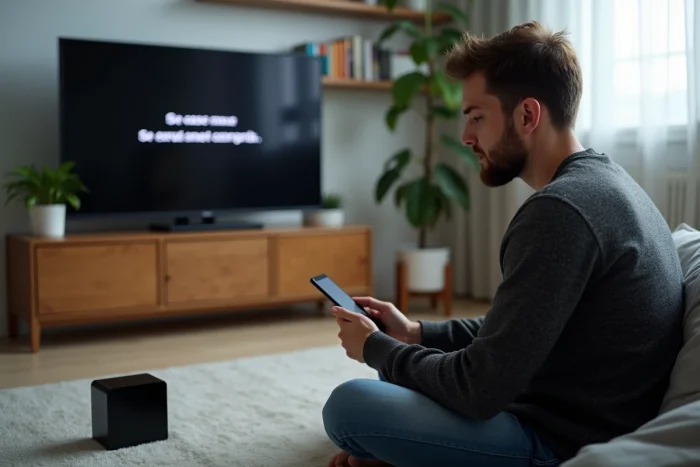
The error code S01-06 does not only appear during a general outage, but can also indicate a localized malfunction, often related to a faulty configuration or connection. Some models of Orange boxes are more prone to this alert in the event of a micro-cut or after an incomplete software update.
This message does not always disappear after a simple restart. Depending on the circumstances, it points to various causes, ranging from a signal defect to an anomaly in access rights management. A methodical intervention allows for pinpointing the origin and applying the appropriate solutions.
Error code S01-06 on the Orange box: what is it and what are the symptoms?
As discreet as a silent alarm signal, the error code S01-06 on the Orange box appears on many decoders. It is a well-identified problem: the communication break between the box and the TV decoder. Behind these numbers and this letter, the reality is clear: no image, a black screen that sticks, an error message stuck right from the start. The user finds themselves stuck, with a silent television and an powerless remote control.
The effects of this code do not stop at the disappearance of images. In some cases, access to menus or the channel mosaic becomes impossible, or the error message stubbornly reappears with each restart attempt. The observation is clear: synchronization is no longer happening. There is no longer any dialogue between the Orange box and the decoder. Often, an LED lights up or blinks to signal the problem, either a steady or blinking orange depending on the models.
Here are the most common manifestations observed among subscribers:
- Black screen or frozen error message right at the decoder’s startup
- Unable to access channels, even after multiple restarts
- Recurring message “error code S01-06” that systematically returns with each connection attempt
For further details, the article “Why does the error code S01-06 appear on your Orange box? – Digital Breizh” provides a detailed insight into its circumstances of appearance. This message, far from being trivial, highlights a break in the home network, often at the intersection of hardware and software issues. Beneath a seemingly ordinary appearance, the failure may hide more subtle technical causes, sometimes unsuspected by the subscriber.
Why does this error appear? Common causes to know
The presence of the error code S01-06 on an Orange box is never trivial. This signal generally reveals a break in the connection chain between the TV decoder and the livebox. Several factors, sometimes subtle, are at the origin of this blockage.
The following situations are among the most frequently observed: an issue with internet connection emerges as the number one culprit. Whether it is an unstable network, a Wi-Fi that drops, or a damaged Ethernet cable, communication can abruptly break. A slightly unplugged cable, a wire worn out by time, or a capricious contact is enough to trigger the error code problem. Sometimes, the defect is invisible but remarkably effective at cutting synchronization.
Another explanation: a Wi-Fi error caused by signal saturation, excessive distance, or interference from other household devices. In this case, the decoder no longer receives the necessary information. Additionally, there are failed or interrupted software updates. A partially installed firmware is enough to block the dialogue between the box and the decoder, generating this type of error codes.
Even very brief electrical micro-cuts can also cause total desynchronization between the Orange box and the decoder. If the Orange box error displays repeatedly, it is time to take a closer look and precisely identify the source of the trouble.
To quickly identify the cause, here are the points to check:
- Check the quality of the Ethernet cable and ensure it is properly connected.
- Examine the stability of the Wi-Fi by eliminating any potential sources of interference.
- Ensure that all software updates have been completed.
- Inspect the power supply of the devices for any malfunctions.

Practical steps to troubleshoot your Orange box and know when to call for assistance
Checking the connection and connections
Start by inspecting all the connections. Focus on the Ethernet cable that connects the Orange box to the decoder: a poor contact, a worn cable, or one that is not properly inserted can explain the persistence of an Orange error. Also take a look at the power supply: even a slight disconnection can be enough to trigger the error code display.
Restarting the equipment
Continue with a complete restart. First, turn off the box, wait a few seconds, then turn it back on. Do the same with the decoder. This seemingly simple action often helps to resolve the S01-06 error code by restoring synchronization with the livebox.
Resetting via the administration interface
If the Orange box error persists, log in to the administration interface of the box. Initiate a reset by following the on-screen instructions. This return to factory settings sometimes eliminates persistent error codes, often linked to incorrect configurations or imperfect updates.
To complement these steps, a few other checks are necessary:
- Ensure that the Wi-Fi network is functioning correctly. Interferences or excessive distance can lead to an Orange Livebox error.
- Observe the indicator lights on the devices: an unstable or unusual light generally betrays a synchronization defect.
If none of these actions yield results, Orange customer service then becomes your best ally. An advisor can perform a remote diagnosis, reset the line, or schedule a technical intervention. In the face of a persistent error code, it is better not to insist alone: Orange support will know how to prevent the situation from worsening.
A black screen, a stubborn LED, and the television experience derails. But behind the S01-06 message, every action counts. Between checks and patience, the solution often hides where the detail makes the difference. Who knows, maybe at the next startup, the image will appear as if nothing had happened.